POS with photos
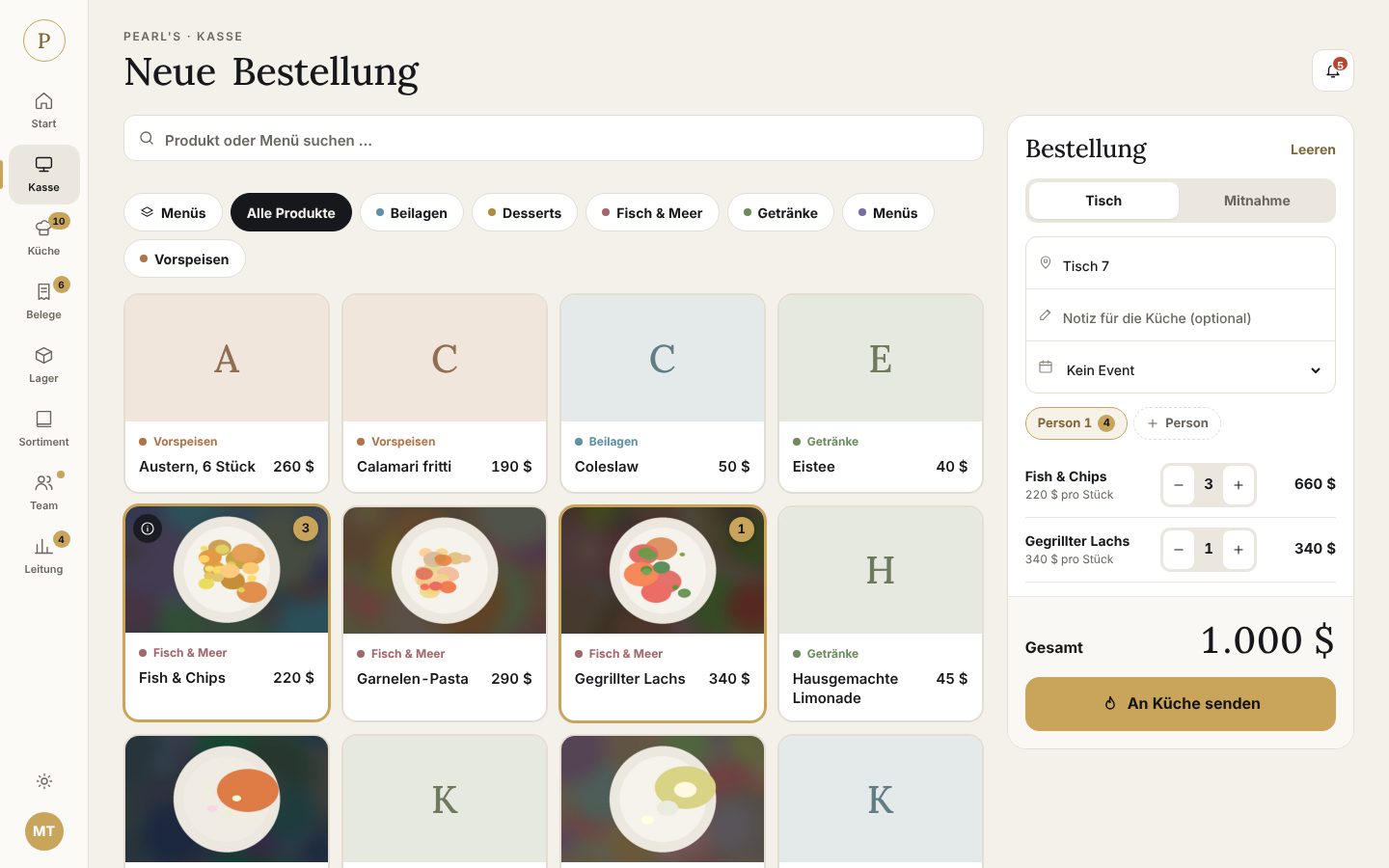
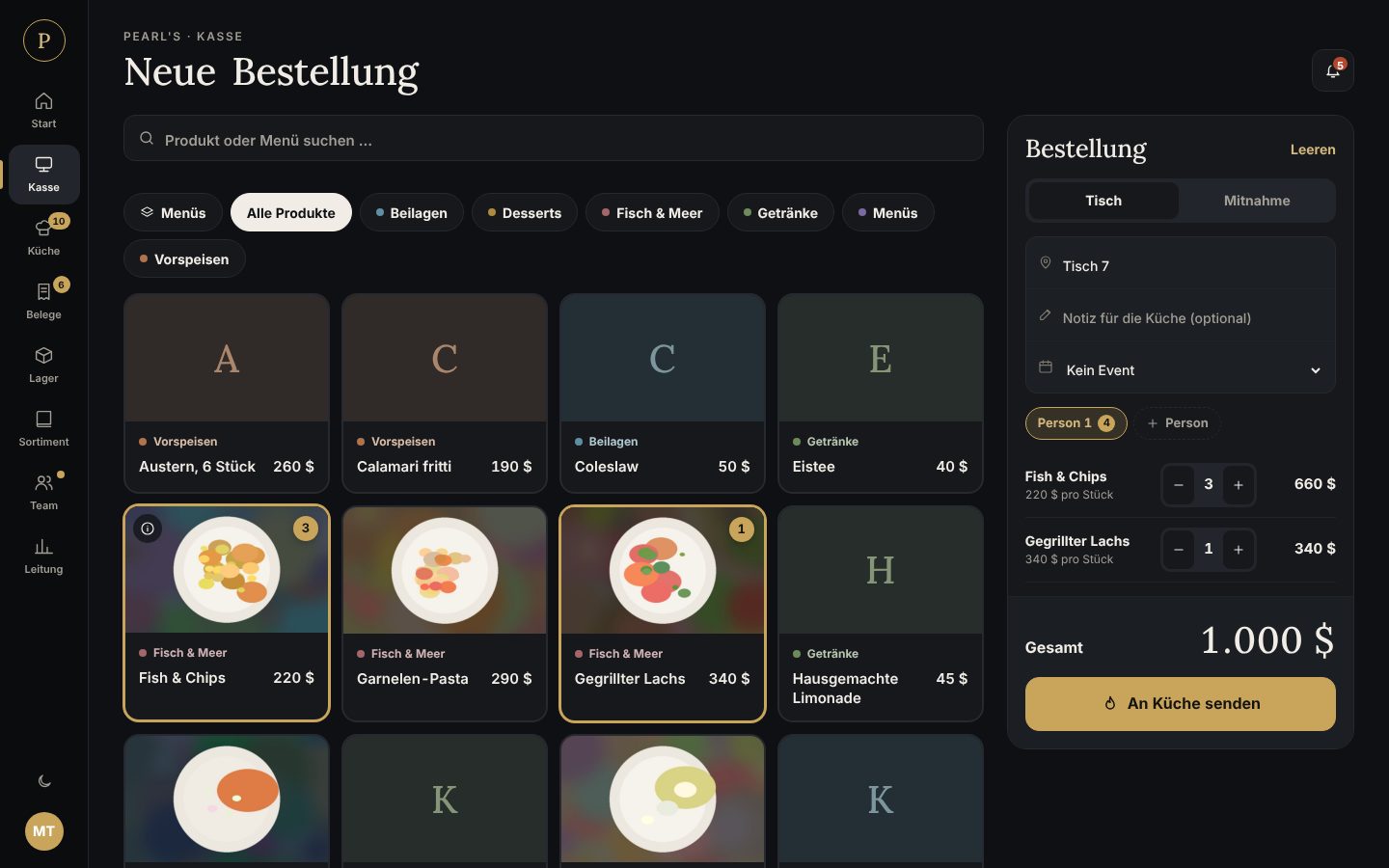
Large product tiles with photos, info bubbles, menus with free choice, table or takeaway orders.
Free · for FiveM roleplay
Take orders, tick them off in the kitchen, serve and settle the bill – plus stock, payroll, end-of-day and team. Runs on your own web space and is completely free.
From the first guest to the finished receipt – every step has its place.
Table or takeaway, several guests, menus with choices.
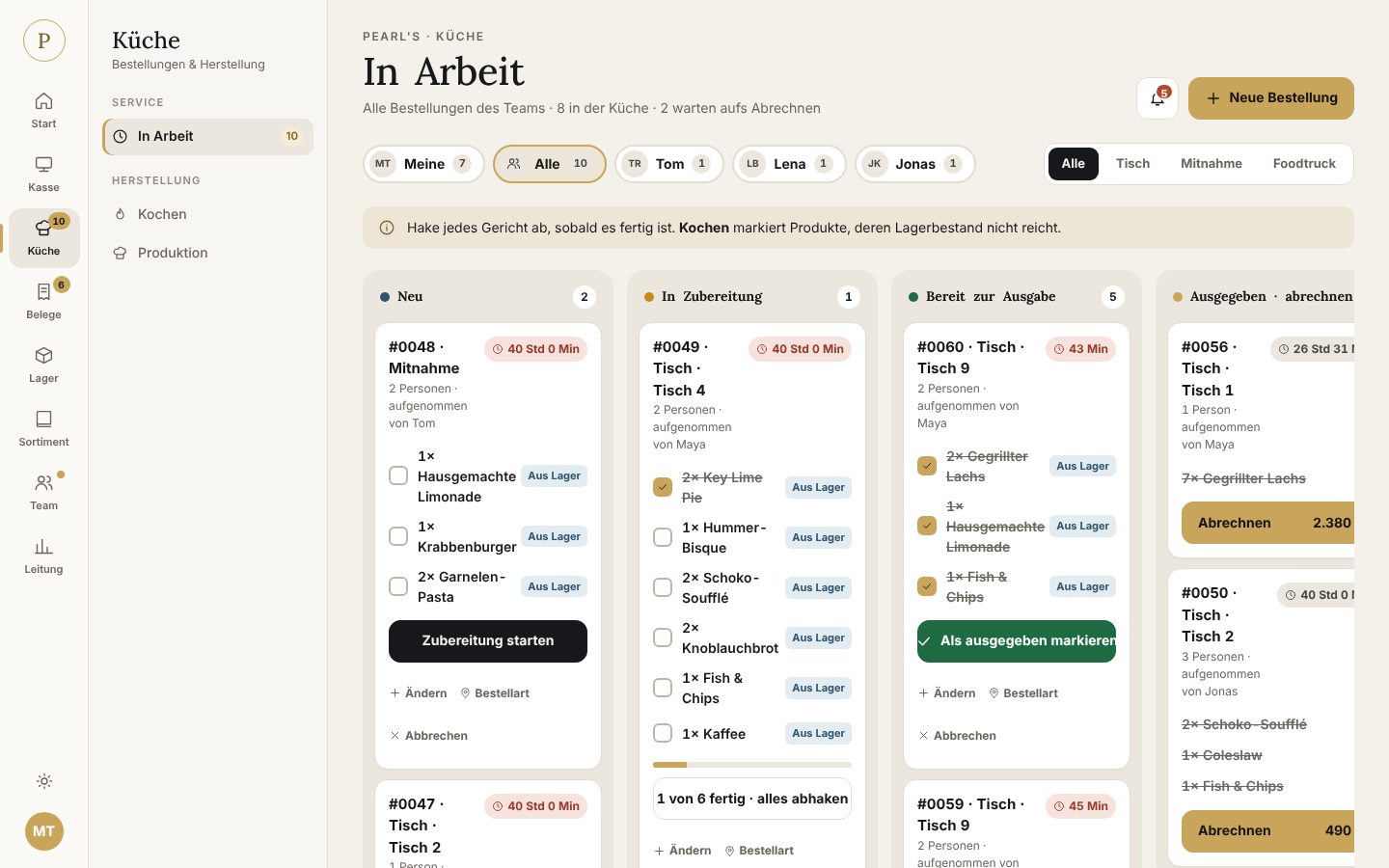
A board with a tick per dish. Missing stock shows as “cook”.
Only when everything is ready – stock is checked.
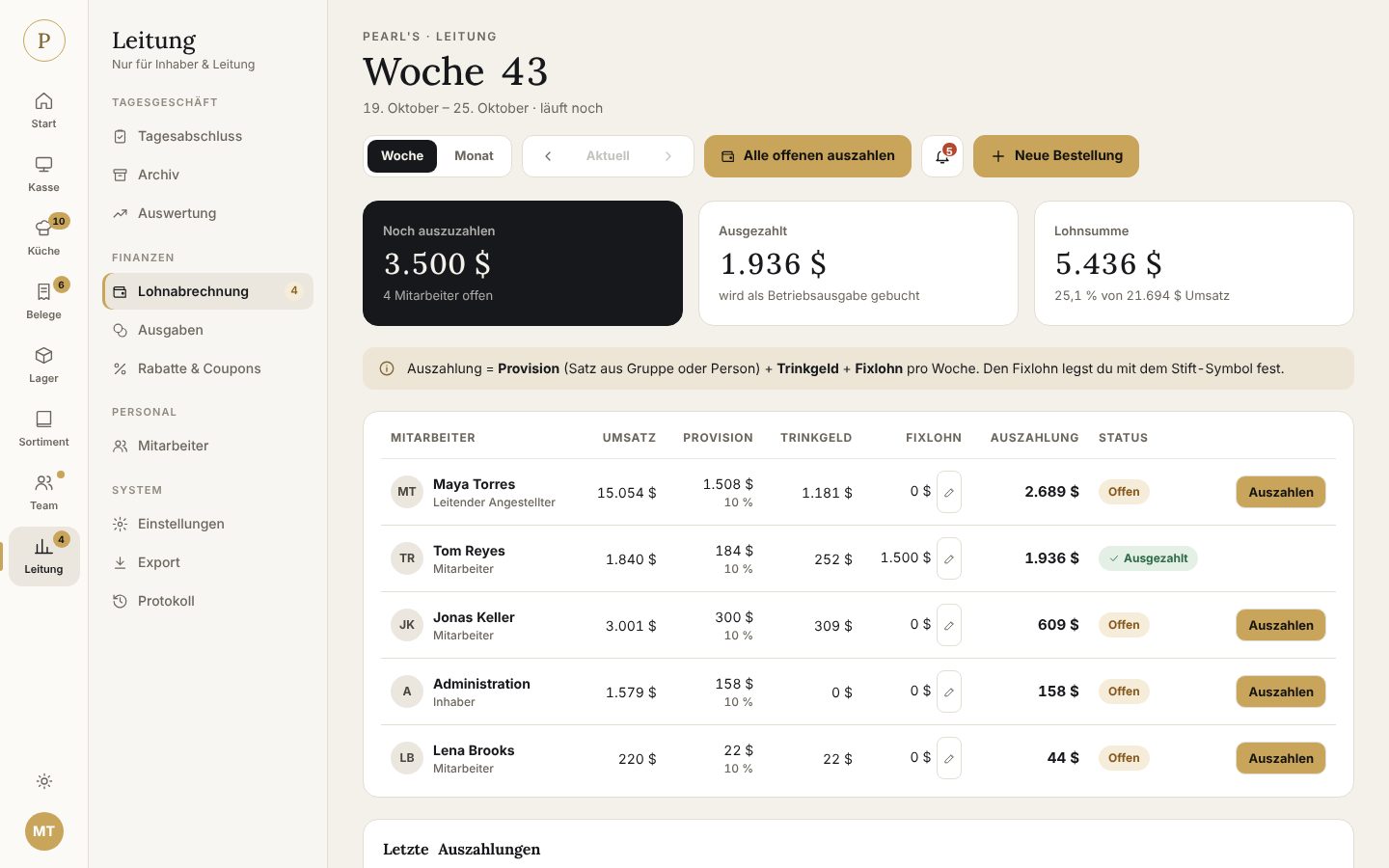
Enter what the guest paid, the rest becomes tip. Discounts & vouchers included.
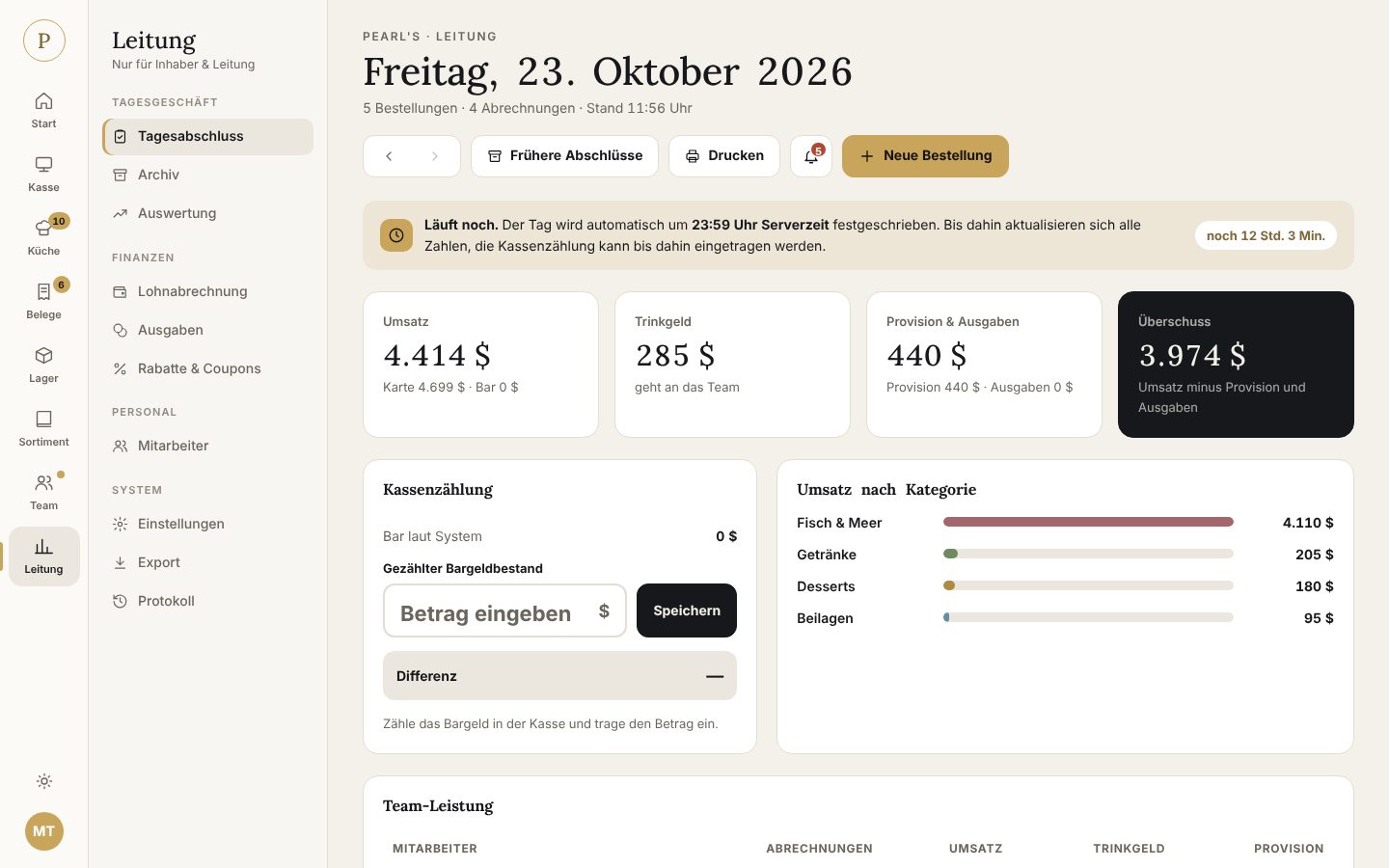
End of day at 23:59 – payroll and achievements add up by themselves.
Built with real roleplay restaurant teams – and for shifts with hundreds of orders.
Large product tiles with photos, info bubbles, menus with free choice, table or takeaway orders.
New → cooking → ready → settle. Everyone sees what to do – “mine” or “all”.
Report questions, wishes or bugs under Management → Support – the answer comes right back into the tool.
Runs automatically without a cron job. Cash count, flags and an archive of every day.
Commission, tips and fixed wage per week or month – paid out in one click and booked as an expense.
Recipes per crate, minimum stock, cooking suggestions and an automatic shopping list per supplier.
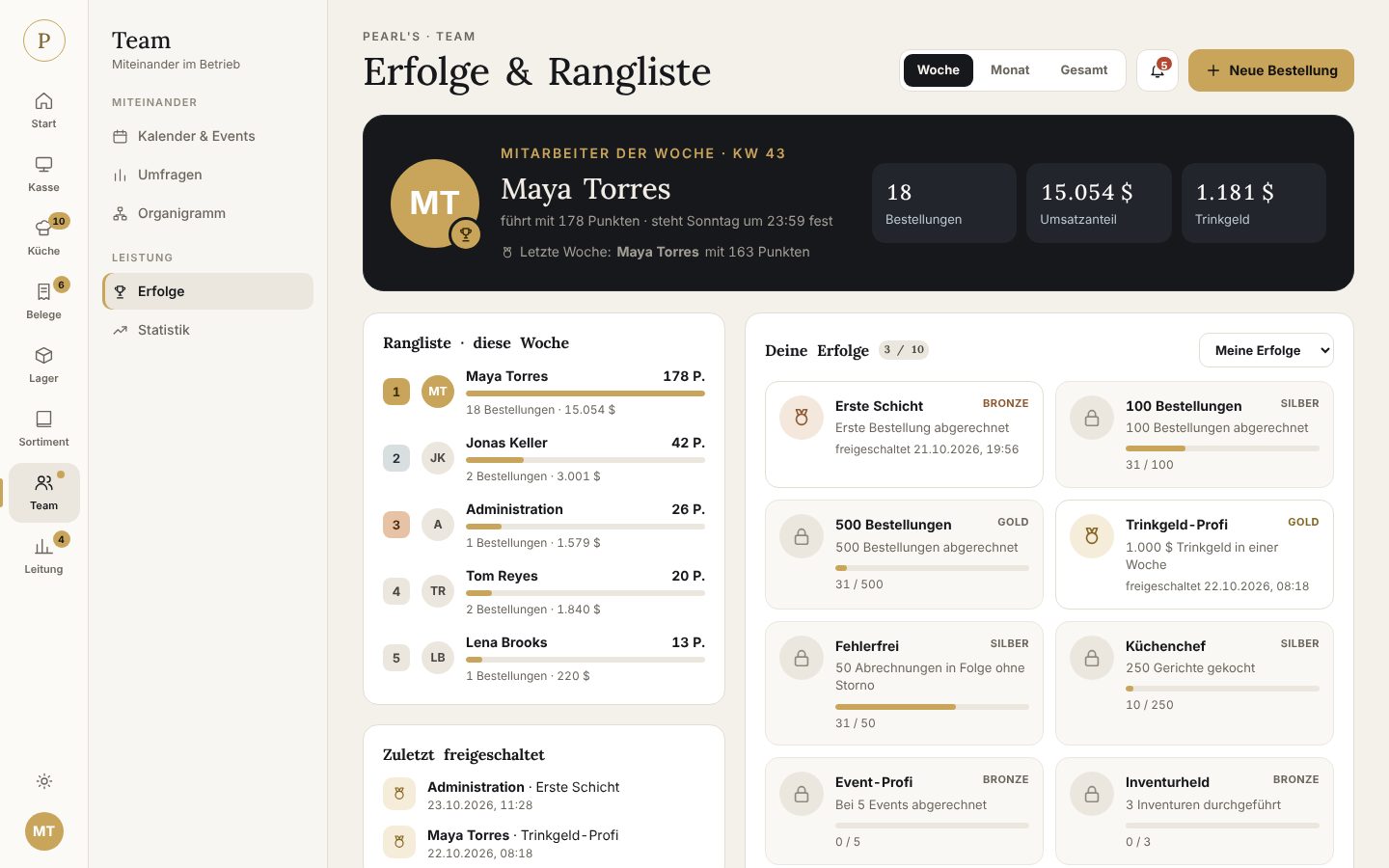
Points ranking, ten badges in bronze, silver and gold – motivates the whole shift.
Share revenue in groups, set permissions per rank, food-truck shifts with their own stock.
This is RPTool in everyday use.
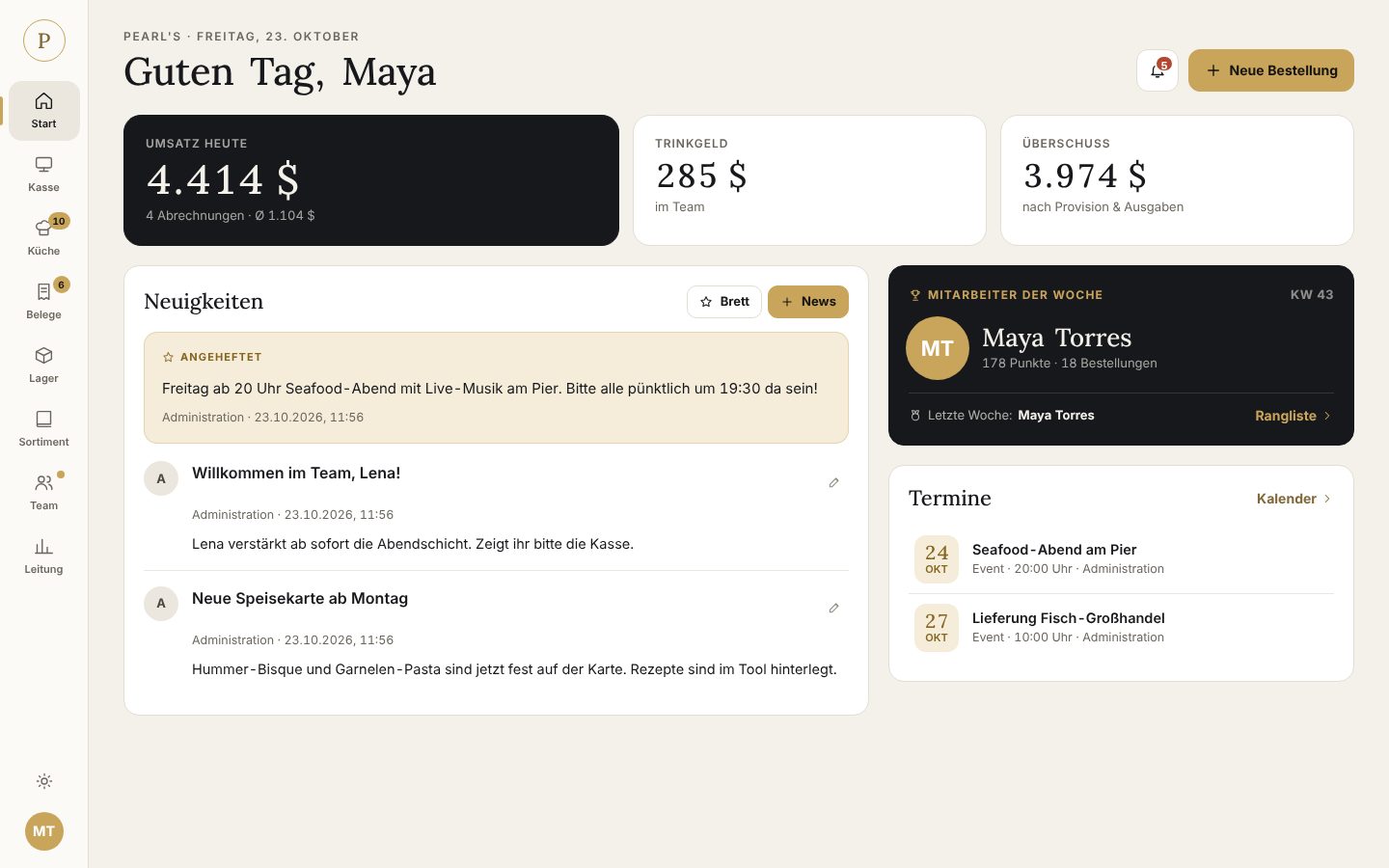
All you need is ordinary web space with PHP and a database. No access to the FiveM server is required.
Upload a single file and open it in your browser. It checks your server, downloads the latest version from here, verifies the checksum and guides you through the rest.
Or the classic way, by hand:
Download the full package and unzip it.
Upload the folder to your web space. Point the domain’s document root to the public subfolder.
Open the site in your browser. You will then find the setup key in app/install-key.txt; the wizard asks for the database (MariaDB/MySQL or SQLite), business name and owner login.
Create categories and products, invite your staff – done.
New versions appear here. Your data and settings are kept with every update.
These wishes come from the businesses using RPTool. Voting happens right in the tool under Management → Support → Wish list.
Test
No. RPTool is free – no subscription, no ads and no hidden pro version.
No. RPTool is a standalone web app. Ordinary web space with PHP and a database is enough.
Only on your own server. No external fonts, analytics or services are loaded.
Yes. The interface adapts – a bar with POS, kitchen and receipts appears at the bottom.
No. Configuration and database are kept; the built-in updater creates a backup first.
Set logo, name and accent colour in the settings. Light and dark mode are available to everyone.
Download for free, put it on your web space, get going.